

A server is typically thought of as a standalone machine in a data center: processors, memory, hard drives, and network interfaces. But for most tasks, it’s not the hardware itself that matters most, but the environment in which the services run. A website, CRM, database, VPN, test environment, or internal application requires stable computing resources and the ability to manage the system.
Thisis exactly the kind of environment that VPS and VDS provide .
This is a service that provides a virtual dedicated server.
The user receives a separate server that operates within a larger hardware platform. The administrator retains the familiar workflow: their own operating system, network access, and control over software and settings.
What are VPS and VDS servers?
What is a VPS server
VPS (Virtual Private Server) is a virtual private server.
It is a virtual machine running inside a physical server but isolated from other users.
Such a server has:
- its own operating system;
- administrator access;
- dedicated RAM;
- a specific number of virtual processors;
- its own disk space.
Therefore, aVPS server is a fully-fledged working environment where you can install applications, configure the network, and manage the system just as you would on a physical server.
What is a VDS
VDS (Virtual Dedicated Server) is a virtual dedicated server.
From a technical standpoint, aVDS is essentially a virtual machine. The user receives an isolated system and dedicated resources.
The term VDS emerged as an attempt to emphasize that server resources are dedicated to a specific virtual machine and are not shared with other services.
Therefore, in most cases, a VDS server is essentially the same as a virtual server, which another provider might call a VPS.
VPS and VDS — what’s the difference?
Is there a difference? In short, the difference is minimal. In most cases ,VPS and VDS are different names for the same service: virtual server rental.
- VPS is more commonly used in mass hosting;
- VDS—in corporate services.
Sometimes the difference is attributed to virtualization technology. A container model might be called a VPS, while a full-fledged virtual machine is called a VDS. However, today most providers use the same hypervisors and architecture.
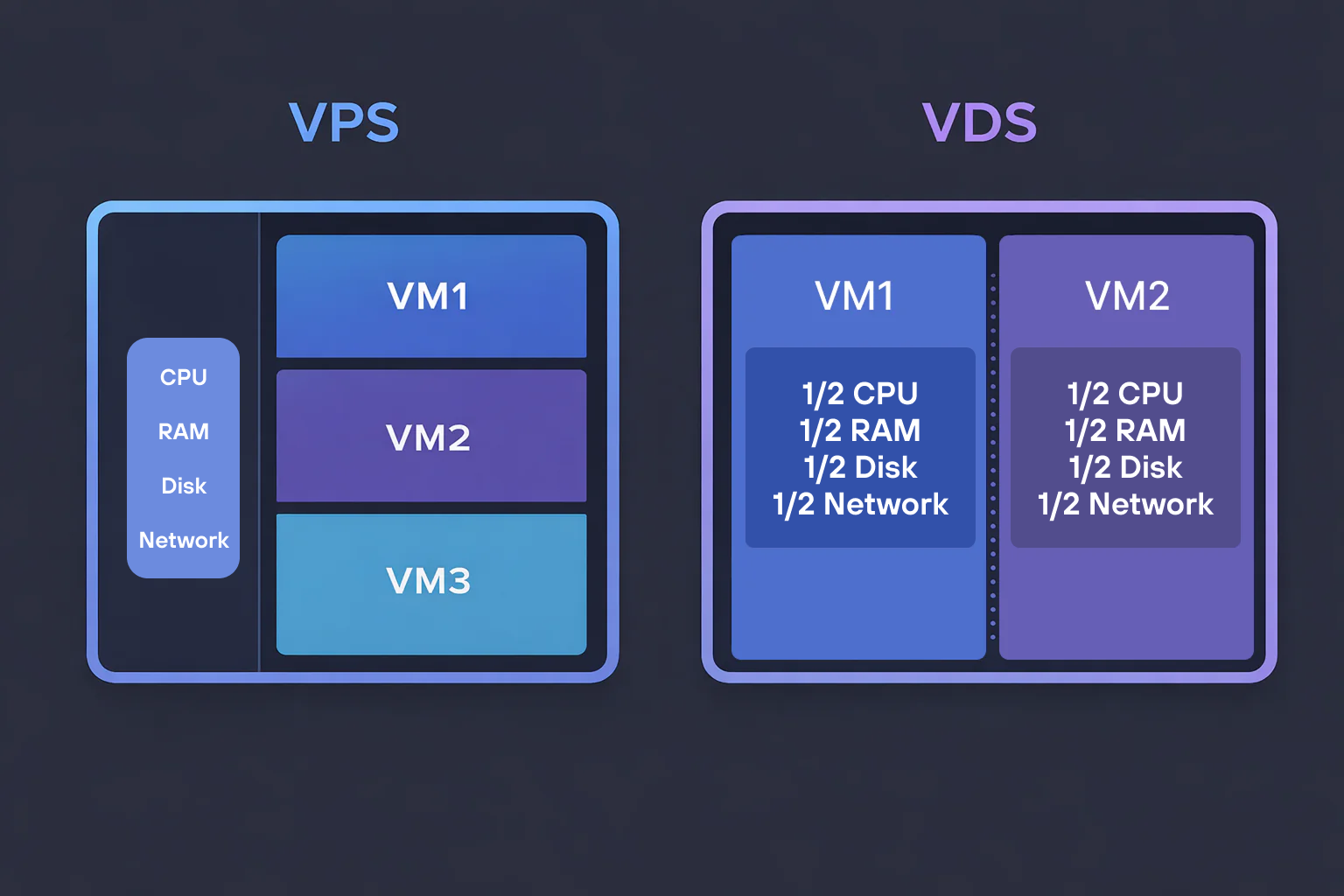
What Do VPS and VDS Have in Common
Both models provide an isolated server environment.
On such a server, you can:
- run a web application;
- deploy a database;
- set up a VPN;
- run containers;
- host the company’s internal services.
Therefore, in practice, VPS and VDS are used as terms with similar meanings.
How a virtual server works
A virtual server operates by allocating resources from physical hardware.
Consider a server with the following specifications:
- 64 CPU cores;
- 256 GB of RAM;
- NVMe storage;
- high-speed network.
If this server is used directly, its resources will be allocated to a single user. However, such a machine is more often shared among multiple tasks.
How resources are divided
A hypervisor is installed on the server—a software layer that divides resources into parts and creates virtual machines.
This server can host multiple virtual machines. For example:
| Virtual machine | CPU | RAM | Disk |
| VM1 | 4 | 8 GB | 100 GB |
| VM2 | 8 | 16 GB | 200 GB |
| VM3 | 2 | 4 GB | 50 GB |
Each virtual machine operates as a standalone system. It has its own operating system and processes.
What happens during operation
Let’s say each VM is running its own workload: VM1 runs a website, VM2 runs a database, and VM3 runs a test environment.
If the load on VM1 spikes—for example, due to incoming traffic or a heavy process starting—the hypervisor will not allow this machine to consume all the memory or CPU. It will use only the resources allocated to it.
VM2 and VM3 continue to operate within their own limits. Their processes are not interrupted or slowed down by the neighboring workload.
How VPS/VDS differs from other types of hosting
Virtual hosting
Virtual hosting involves hosting multiple websites on a single system. Most settings are predefined by the provider.
This is convenient for small projects but limits configuration options.
VPS provides a separate virtual machine where the administrator independently manages the software environment.
Dedicated Server
A dedicated server is a physical machine that is entirely owned by a single client.
Advantages:
- full control over the hardware;
- high performance.
Disadvantages:
- high cost;
- difficulty scaling.
VPS/VDS allows you to enjoy many of the benefits of a server environment without having to rent an entire physical machine.
Cloud solutions
Cloud platforms offer higher automation and dynamic scaling. VPS, on the other hand, is more often chosen when fixed resources, a predictable configuration, and a clear administration scheme are important. If the load rarely changes, a virtual server is easier to manage and operate.
| Parameter | VPS/VDS | Cloud |
| Resources | Fixed | Dynamic |
| management | manual | via API |
| scaling | limited by plan | automatic |
VPS is suitable for stable services with predictable load, whereas the cloud is more convenient for infrastructures with rapidly changing scale.
Advantages of VPS/VDS
Quick server setup
You don’t need to order a server, wait for delivery, or set it up from scratch. Just choose a configuration—and in a few minutes you’ll have a ready-to-use system that you can connect to and start working on.
Pre-installed operating system
The virtual server is deployed with the OS already installed. Various Linux and Windows options are usually available—you can choose your preferred environment and avoid wasting time on manual installation.
Management without extra infrastructure
You can restart, shut down, or reconfigure the server via the control panel. If you need automation, the same actions can be performed via the API or tools like Terraform.
Pay for actual resources
You only pay for the resources you use: CPU, memory, and disk. There’s no need to maintain an over-provisioned configuration “just in case”—you can scale the server as your workload grows.
Scaling to meet demand
If the load increases, resources are added: CPU, memory, and disk. When the load decreases, you can revert the configuration and avoid overpaying for unused resources.
Backups and snapshots
You can enable automatic backups or take disk snapshots. This allows you to quickly restore the system after an error, update, or failure.
A foundation for your own infrastructure
A VPS is not just a standalone server, but also an entry point into a more complex architecture. You can assemble a full-fledged system from several virtual machines: distribute roles, offload databases, and configure redundancy and scaling.
How to choose a VPS/VDS: key criteria
It’s best to start choosing a virtual server not with the plan, but with the task at hand. First, you need to understand exactly what will be running on the server. This determines which resources are truly important.
Load and application type
For web applications, memory and disk space are often the most important; for builds and computations, the focus is on the CPU; and for databases, a balance between memory and fast storage is needed. This approach helps you avoid overpaying for resources that won’t be used.
Storage and Data Processing Speed
Disk and data processing speed deserve special attention. SSD and NVMe are significantly more beneficial in scenarios involving active database operations, background tasks, or peak loads. This directly impacts service responsiveness.
The difference becomes noticeable in operation:
- the database responds faster;
- background tasks run more consistently;
- there are fewer delays during peak loads.
Network
Some services place almost no load on the CPU but are highly dependent on the network.
These may include:
- APIs;
- proxies;
- media services.
In such cases, it is important not only to have “unlimited traffic,” but also to ensure the actual bandwidth of the connection.
Operating system and images
The server must run in the environment the team is already using.
It is important that the provider offers:
- pre-configured images;
- quick reinstallation;
- snapshots.
This affects not the startup, but day-to-day operation.
Reliability
What matters here is not just the stated uptime (the continuous operating time of the computing system since the last power-on or reboot).
Much more important:
- how redundancy is implemented;
- how the platform behaves during failures;
- how quickly support responds.
This is what determines how predictable the infrastructure’s behavior will be.
Conclusion
A virtual server meets the need where standard hosting is no longer sufficient, but a dedicated server is still excessive. It is a separate environment with clear resources, administrator access, and the ability to manage the system independently without dealing with physical hardware.
If the task goes beyond a single server and requires a more robust architecture, it makes sense to look toward hyperconverged platforms.
The vStack platform allows you to build such an infrastructure from standard servers and manage it as a single cluster:
- computing, networking, and storage are combined into a single system;
- virtual machines operate within a shared resource pool;
- the failure of a single node does not cause services to stop;
- resources can be reallocated without manual reconfiguration.
This is the next step beyond the classic VPS—where it’s not just the isolated machine that matters, but the entire environment as a whole.

Telegram
Facebook
Instagram
Twitter